Activity
Assets
Colors
Inspect

See all – inspect all at once

All breakpoints. One view. No busywork.

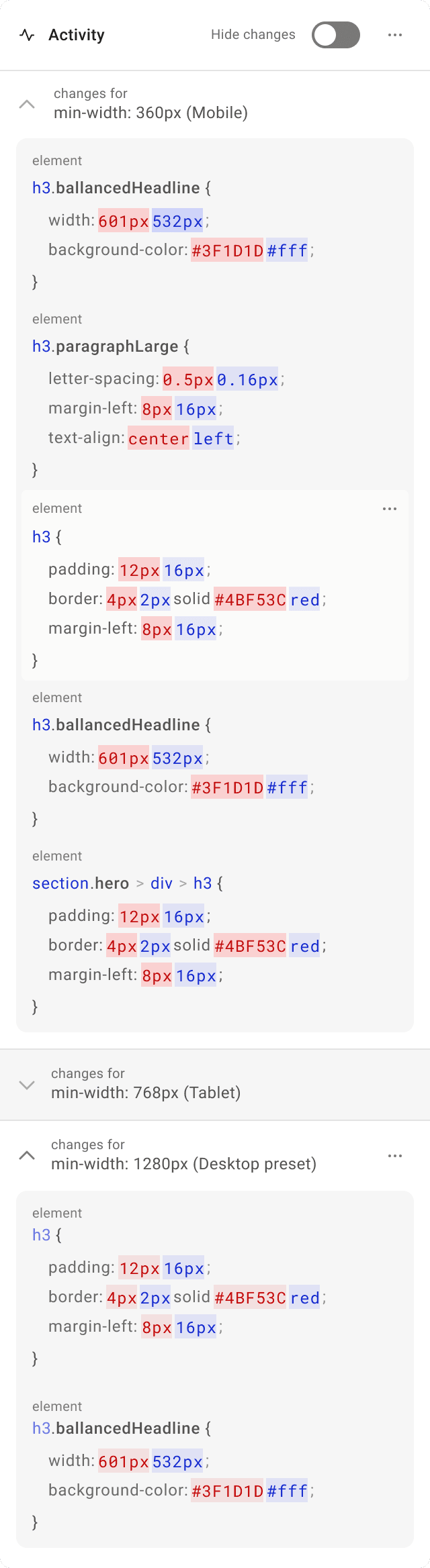
Understand what’s different

Inspect CSS, spacing, and structure across breakpoints so you fix the root cause – not just the symptom.

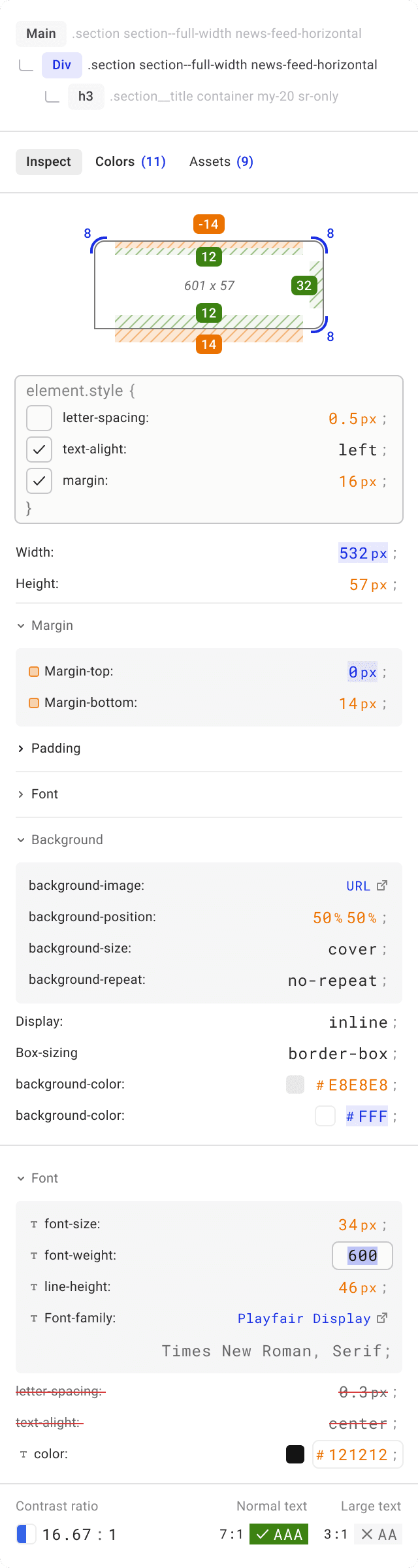
Inspect element

Inspect the same element on every screen to spot what changed – CSS rules, spacing, and layout constraints – so fixes stick everywhere.

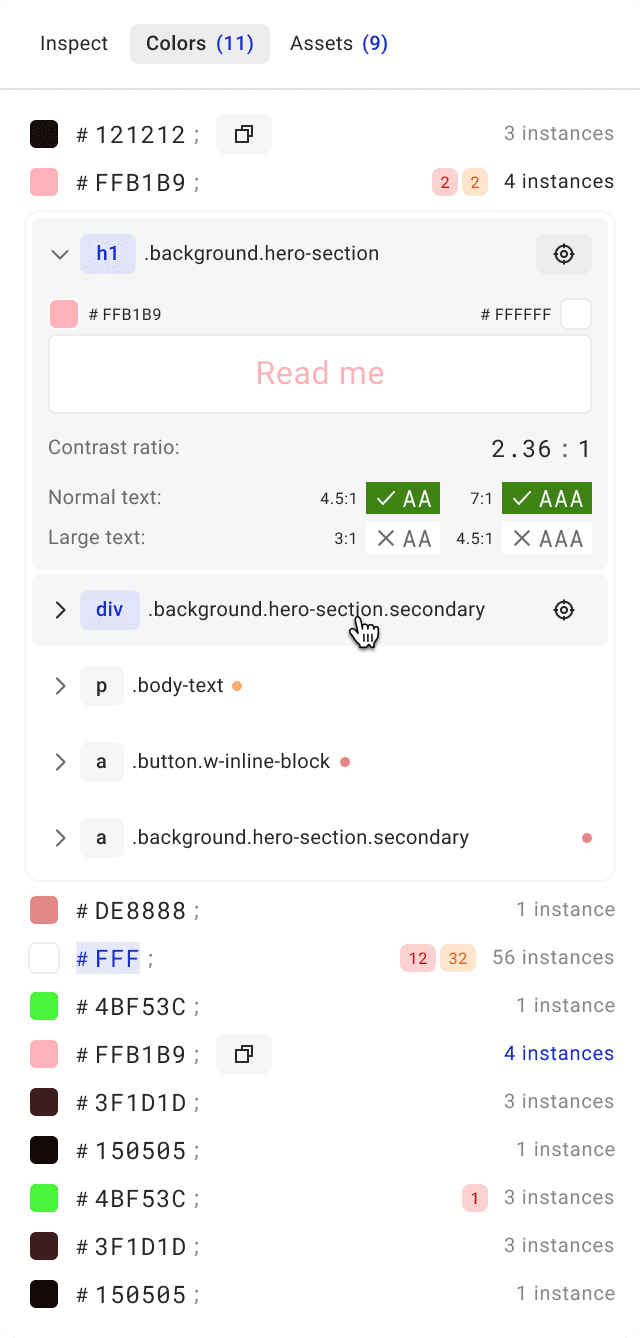
Colors view

See every color used on the page and where it appears – great for audits, cleanup, and consistency.

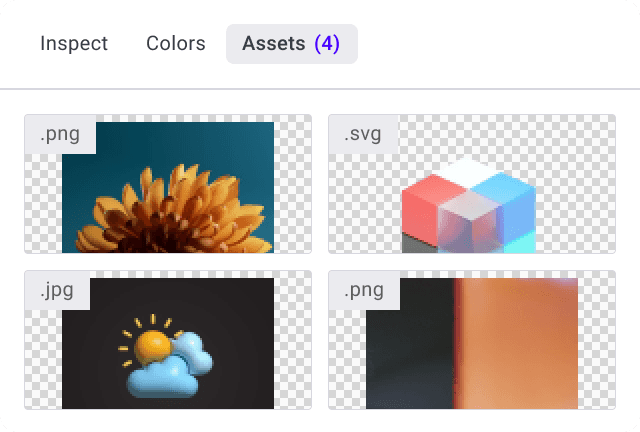
Asset download

Download the assets you need for updates and handoff – without digging through DevTools or the DOM.

View modes

Use focused tools to review structure, alignment, and accessibility – so issues are easier to spot and fix.

X-ray

Reveal layout boundaries and stacking so you can quickly see what’s overflowing, misaligned, or pushing the UI out of place.

Adaptive grids

Overlay grids that adapt to each screen size to keep spacing and alignment consistent across breakpoints.

Blindness simulation

Simulate common vision limitations to spot readability and contrast issues early – before they reach users.

Tools for pixel-perfect reviews

Quick tools for QA: measure distances, validate readability, and keep a record of every tweak.

Distance measurement

Measure spacing between elements to verify alignment, padding, and layout consistency across breakpoints.

Contrast check

Verify contrast quickly to support accessibility and consistent UI clarity.

Track all changes

Every tweak is logged, so you can review what changed, reproduce fixes, and share with your team.

Inspect with less guesswork

Inspect isn’t just about “seeing the issue” – it’s about understanding why it happens across breakpoints, so fixes are faster and more reliable.

⚡ Faster root-cause debugging

Compare the same element across breakpoints and pinpoint the exact rule or spacing that causes the shift.

✅ Consistency across screens

Validate styles and layout constraints across devices so your UI stays predictable from mobile to desktop.

📈 Better mobile experience signals

Fix mobile layout issues faster to reduce friction and improve engagement—signals search engines tend to reward over time.

Updates

See What’s Changed

We’re constantly improving Pixefy. Check out the latest features and updates we’ve added

See more in our

v.1.0.6

New

Improvement

Fix

Pixefy v1.0.6 introduces Dark Mode, Touch Simulation (beta), performance improvements, and smoother pane resizing and syncing.

Mar 4, 2026

v.1.0.5

New

Improvement

Fix

This update makes working with lots of panes much easier: you can now switch to Single Pane, filter panes by device type, and enjoy cleaner controls when zoomed out.

Feb 17, 2026

v.1.0.4

New

Improvement

Fix

This release marks a huge step for Pixefy. Pro is officially live, annotations are here, panes are smarter, and testing just got more precise.

Feb 9, 2026

Updates

See What’s Changed

We’re constantly improving Pixefy. Check out the latest features and updates we’ve added

See more in our

v.1.0.6

New

Improvement

Fix

Pixefy v1.0.6 introduces Dark Mode, Touch Simulation (beta), performance improvements, and smoother pane resizing and syncing.

Mar 4, 2026

v.1.0.5

New

Improvement

Fix

This update makes working with lots of panes much easier: you can now switch to Single Pane, filter panes by device type, and enjoy cleaner controls when zoomed out.

Feb 17, 2026

v.1.0.4

New

Improvement

Fix

This release marks a huge step for Pixefy. Pro is officially live, annotations are here, panes are smarter, and testing just got more precise.

Feb 9, 2026

Updates

See What’s Changed

We’re constantly improving Pixefy. Check out the latest features and updates we’ve added

See more in our

FAQ

Frequently Asked Questions

We’ve gathered answers to some of the most commonly asked questions

What is Pixefy Inspect and how does it help with responsive design?

Pixefy Inspect is a built-in inspector for responsive website testing that lets you check layout and styling while viewing your site across multiple screen sizes. It helps you quickly understand what’s causing a breakpoint issue – like spacing, sizing, alignment, or typography – without constantly resizing the browser.

Where can I request new features?

You can request features or report bugs directly through the extension. Additionally, you can do the same on our Google Chrome support page or by filling out this form to submit your requests or bug reports.

Can the extension be used on all websites?

Due to security restrictions from Google's Manifest V3, some websites may not be accessible with the extension. However, the majority of sites are.

FAQ

Frequently Asked Questions

We’ve gathered answers to some of the most commonly asked questions

What is Pixefy Inspect and how does it help with responsive design?

Pixefy Inspect is a built-in inspector for responsive website testing that lets you check layout and styling while viewing your site across multiple screen sizes. It helps you quickly understand what’s causing a breakpoint issue – like spacing, sizing, alignment, or typography – without constantly resizing the browser.

Can the extension be used on all websites?

Due to security restrictions from Google's Manifest V3, some websites may not be accessible with the extension. However, the majority of sites are.

Where can I request new features?

You can request features or report bugs directly through the extension. Additionally, you can do the same on our Google Chrome support page or by filling out this form to submit your requests or bug reports.

FAQ

Frequently Asked Questions

We’ve gathered answers to some of the most commonly asked questions

What is Pixefy Inspect and how does it help with responsive design?

Pixefy Inspect is a built-in inspector for responsive website testing that lets you check layout and styling while viewing your site across multiple screen sizes. It helps you quickly understand what’s causing a breakpoint issue – like spacing, sizing, alignment, or typography – without constantly resizing the browser.

Where can I request new features?

You can request features or report bugs directly through the extension. Additionally, you can do the same on our Google Chrome support page or by filling out this form to submit your requests or bug reports.

Can the extension be used on all websites?

Due to security restrictions from Google's Manifest V3, some websites may not be accessible with the extension. However, the majority of sites are.

Pixefy on the Chrome Web Store

Available in the

Pixefy on Firefox Add-ons

Available in the