Massive Pixefy Update – X-Ray Mode, One-Click Pane Rotation, UI Fixes & More!
v.0.8.17
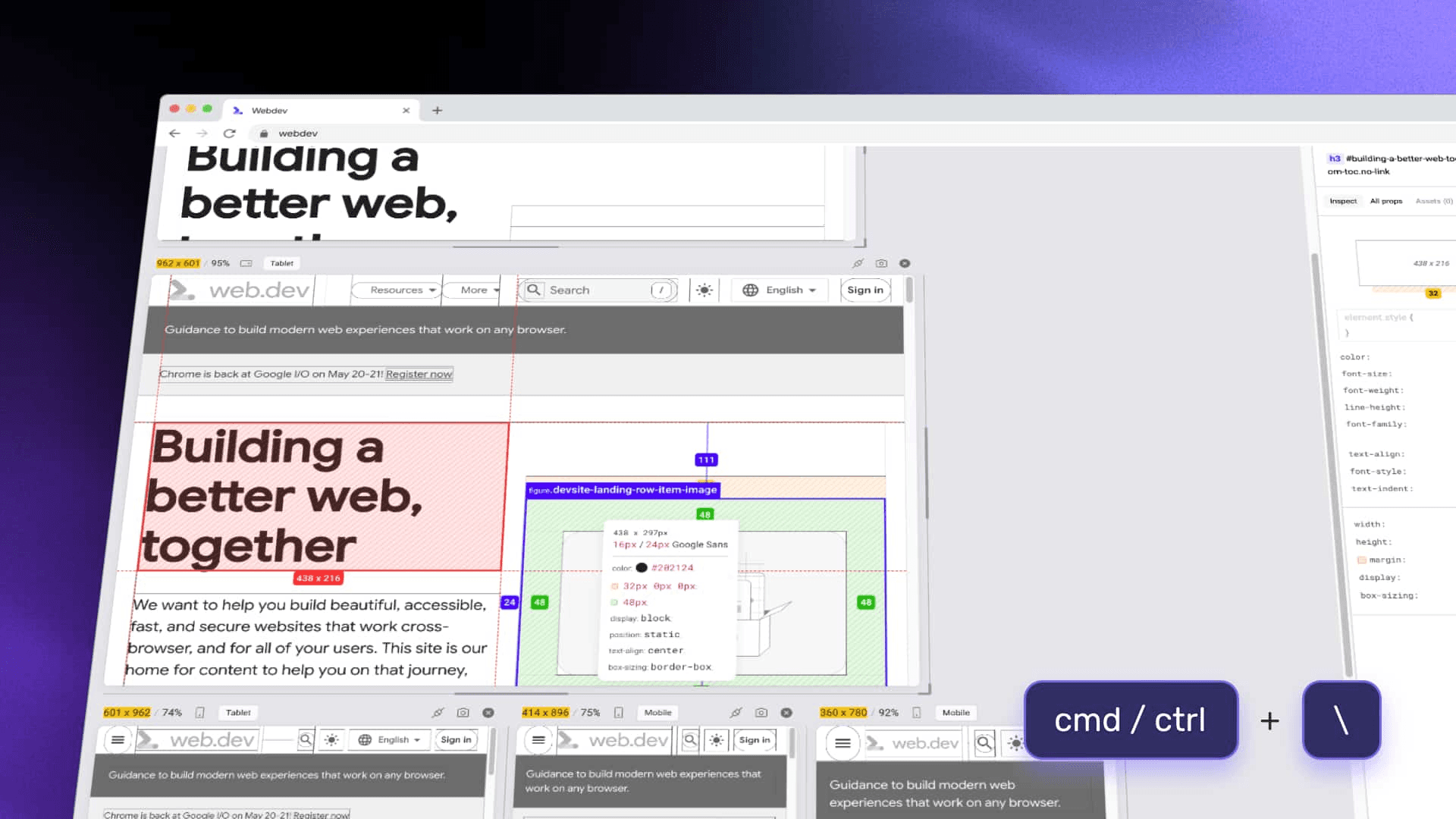
This is one of our biggest updates yet! We’ve added powerful new features, improved core interactions, and crushed a bunch of bugs to make Pixefy more reliable and fun to use. From X-Ray mode to smarter pane rotation and easier sharing — here’s what’s new:
New Features
X-Ray Mode – Visually scan your page structure like never before.
One-Click Pane Rotation – Rotate all panes instantly to test different orientations.
Sync Options – Toggle sync for clicks and scroll separately.
Hide/Show UI Toolbar – Use Cmd/Ctrl + \ to quickly show or hide the toolbar.
Horizontal & Vertical Stacking – Stack panes your way – vertically or horizontally.
Share or Rate Pixefy – Spread the love or give feedback via the main menu.
Join Our Discord – Connect, suggest features, or chat via a new menu link!
Fixes
Extension not loading on some websites – resolved.
Scrollbar handle misbehavior on window resize – fixed.
Opacity value bug (appended with px) – corrected.
Copy-paste issues with CSS values – fixed.
Various UI glitches – cleaned up.
Element style panel showing in asset tab – removed.
Incorrect viewport measurements after pane rotation – fixed.
Content edit tool now shows accurate character count.
Measurement widget UI issues – fixed.
Measurement widget now hidden inside the extension panel itself.
Improvements
New Extension Icons – Icons now turn gray when Pixefy can’t load (e.g., Chrome Web Store).
Keyboard Arrows for CSS Editing – Tweak values faster using arrow keys.
Hover + Drag for Value Changes – Hover on property names and drag to adjust values.
Tutorial Page Updated – More helpful and clear than ever.
Update now and enjoy the most powerful version of Pixefy yet! 🔥
As always, we’re building this with your feedback — keep it coming! 💬
Did you like this update? Share it with others!


or


Available in the

Available in the