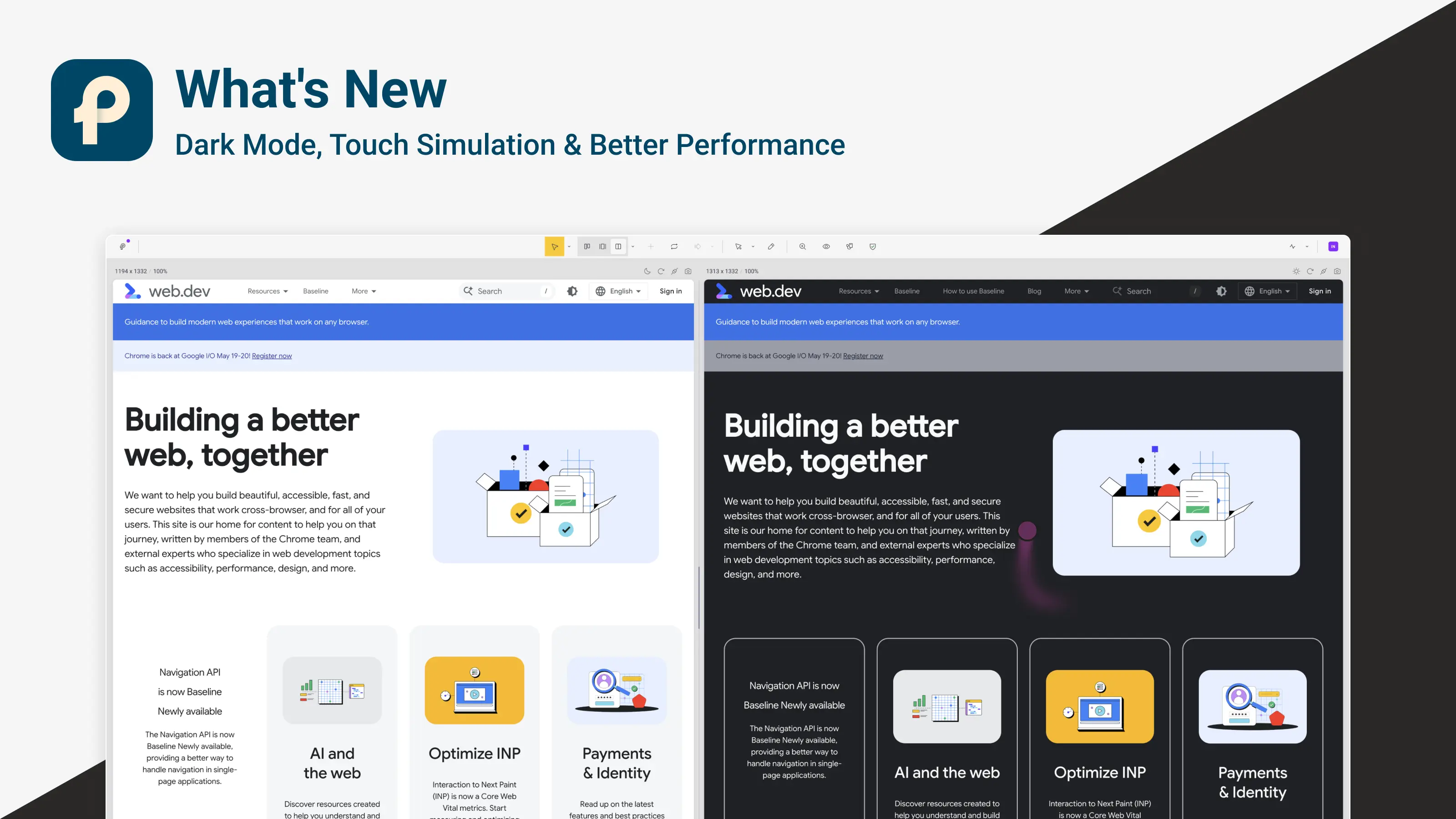
Dark Mode, Touch Simulation & Performance Improvements

v.1.0.6
Mockups Rollout, Feedback Portal & Text Selection Sync

πŸ” Introduction

This update brings a mix of usability improvements, new testing tools, and performance upgrades. You can now switch Pixefy into dark mode, simulate touch interactions, and enjoy smoother pane resizing and syncing. We've also made several improvements to Activity, Inspect, and internal communication between the extension backend and frontend.

πŸ†• New

  • Global Dark Mode – Enable dark mode from view modes for the entire interface.

  • Pane Dark Mode – Toggle dark mode for a specific pane only.

  • Touch Simulation (Beta) – Test touch interactions directly inside Pixefy.

πŸ”„ Improvements

  • Grid Settings Nudging – Adjust values more precisely.

  • Full Page Screenshots – You can now stop the capture while it’s running.

  • Pane Headers – Improved behavior when panes are resized to smaller sizes.

  • Activity Tab – Several usability improvements.

  • Performance – Faster pane resizing and better backend ↔ frontend communication.

πŸ›  Fixes

  • Resolved several sync issues.

  • Fixed Inspect tab errors.

  • Fixed inner scroll synchronization issues.

  • Addressed bugs affecting pane headers when panes became very small.

πŸ’› Early Adopters

Our early adopter offer has officially ended.
A huge thank you to everyone who supported Pixefy early and helped shape the product with feedback and testing. Your support means a lot.

‍

Did you like this update? Share it with others!

or

Updates

Other updates

We’re constantly improving Pixefy. Check out the latest features and updates we’ve added

See more in our

v.1.2.6

New

Improvement

Fix

Projects are here. Save your workspace setup β€” panes, tools, overlays, content edits, and CSS changes β€” and load it back in Chrome or Firefox whenever you need it. We also added Isolation mode for hiding or collapsing elements during inspection, plus several smaller fixes and improvements.

May 24, 2026

v.1.2.3

New

Improvement

Fix

Pixefy v1.2.3 adds the new Breakpoint Diff Tool, redesigned zoom controls, smarter pane loading, theme switching, improved annotations, and many fixes for screenshots, Inspect, mockups, and performance.

May 10, 2026

v.1.2.0

New

Improvement

Fix

This update brings console monitoring, resize ruler, performance insights, and major stability improvements.

Apr 24, 2026

Updates

Other updates

We’re constantly improving Pixefy. Check out the latest features and updates we’ve added

See more in our

v.1.2.6

New

Improvement

Fix

Projects are here. Save your workspace setup β€” panes, tools, overlays, content edits, and CSS changes β€” and load it back in Chrome or Firefox whenever you need it. We also added Isolation mode for hiding or collapsing elements during inspection, plus several smaller fixes and improvements.

May 24, 2026

v.1.2.3

New

Improvement

Fix

Pixefy v1.2.3 adds the new Breakpoint Diff Tool, redesigned zoom controls, smarter pane loading, theme switching, improved annotations, and many fixes for screenshots, Inspect, mockups, and performance.

May 10, 2026

v.1.2.0

New

Improvement

Fix

This update brings console monitoring, resize ruler, performance insights, and major stability improvements.

Apr 24, 2026

Updates

Other updates

We’re constantly improving Pixefy. Check out the latest features and updates we’ve added

See more in our

v.1.2.6

New

Improvement

Fix

May 24, 2026

v.1.2.0

New

Improvement

Fix

Apr 24, 2026

Pixefy on the Chrome Web Store

Available in the

Pixefy on Firefox Add-ons

Available in the

Pixefy  - Review websites across every screen | Product Hunt