Pro Launch, Annotations & Smarter Panes – Pixefy Update

v.1.0.4
Mockups Rollout, Feedback Portal & Text Selection Sync

This release is a big moment for Pixefy. After a lot of testing, polishing, and refactoring, we’re shipping our first stable release — along with some of the most requested features so far.
From better pane controls and annotations to device overlays and Pro access, this update is all about making real-world testing, feedback, and collaboration easier and more accurate.

🆕 What’s New

  • First Stable Release 🎉
    Pixefy is officially stable! You can now upgrade to Pro and unlock the full potential of the extension.
    👉 Early adopter deal: use code HELLOPIXEFY for a 50% lifetime discount.

  • Annotations
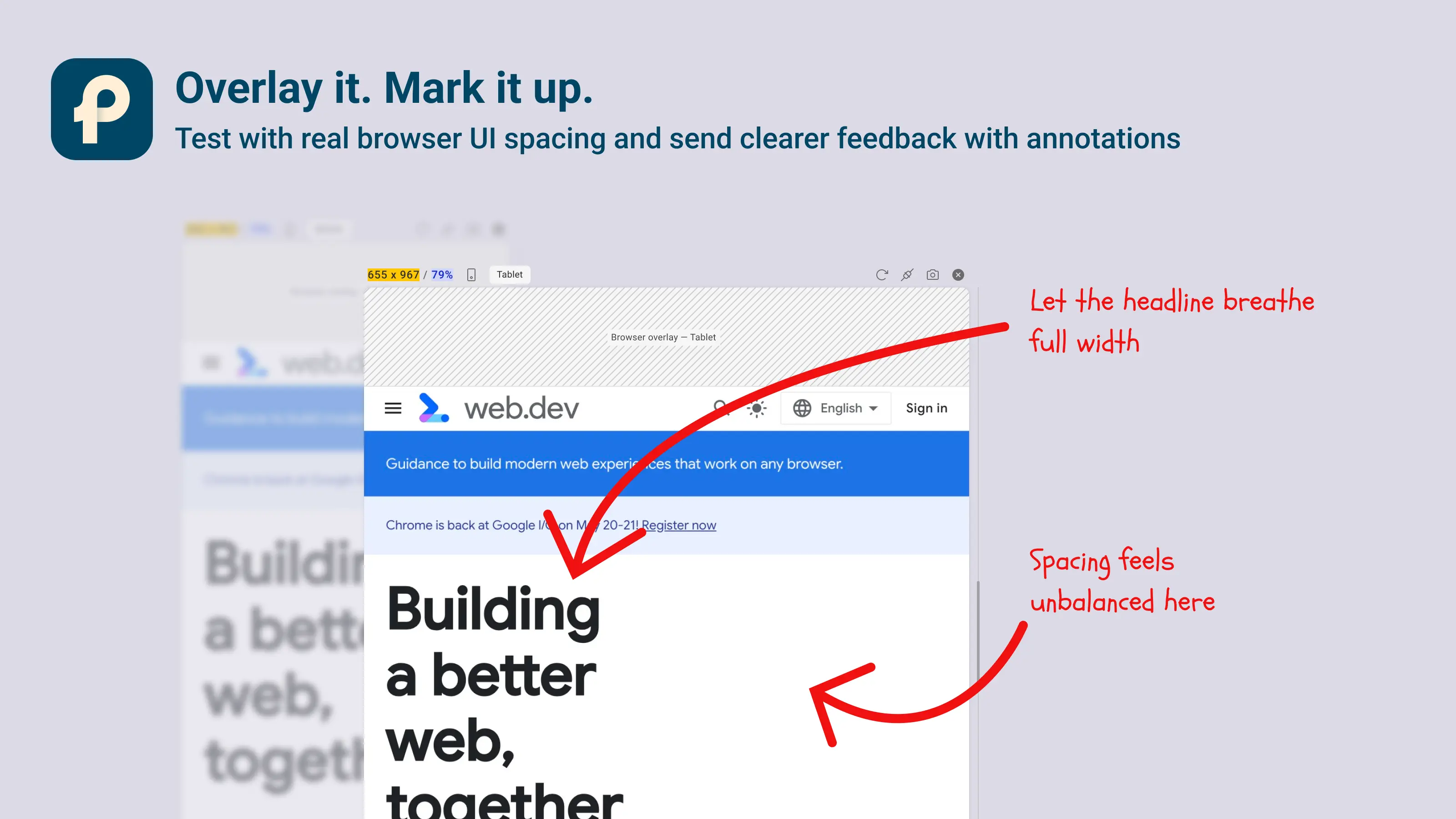
    All screenshots can now be annotated using non-destructive layers — ideal for feedback, reviews, and sharing ideas without altering the original image.

  • Device Overlays (Pro)
    Add realistic device overlays for more accurate testing. Fully configurable via overlay settings to match your workflow.

  • Refresh Single Pane
    Refresh individual panes without reloading everything else.

🔄 Updates & Improvements

  • Updated Pane Headers
    Pane controls stay accessible even when panes are zoomed out.

  • Preset Indicators
    Responsive panes created from presets are now clearly indicated.

🛠 Fixes

  • Various fixes, improvements, and internal refactoring for better stability and performance.

This release sets the foundation for what’s coming next.

Thank you for testing, reporting bugs, and pushing Pixefy forward with us 💛

Did you like this update? Share it with others!

or

Updates

Other updates

We’re constantly improving Pixefy. Check out the latest features and updates we’ve added

See more in our

v.1.3.0

New

Improvement

Fix

Pixefy 1.3.0 checks accessibility in every pane at its own width, rebuilds Inspect with Figma-style controls, copy and paste and ⇄ across panes, and makes touch simulation tap like a phone.

Oct 29, 2026

v.1.2.20

New

Improvement

Fix

Now Pixefy adds settings sync, so your settings, default workspace and presets follow you across browsers and devices, and live tab sync, which pulls in changes from other tabs on return. It stops free and logged-out users losing saved panes.

Oct 12, 2026

v1.2.19

New

Improvement

Fix

Pixefy v1.2.19 brings Pixefy to Microsoft Edge, introduces a guided Getting Started tour, automatic Project saving, smarter CSS variable editing, and breakpoint guides for easier responsive testing.

Sep 28, 2026

Updates

Other updates

We’re constantly improving Pixefy. Check out the latest features and updates we’ve added

See more in our

v.1.2.20

New

Improvement

Fix

Oct 12, 2026

v1.2.19

New

Improvement

Fix

Sep 28, 2026

Pixefy on the Chrome Web Store

Available in the

Pixefy on Firefox Add-ons

Available in the

Pixefy  - Review websites across every screen | Product Hunt