Introducing Projects + Isolation mode
v.1.2.6
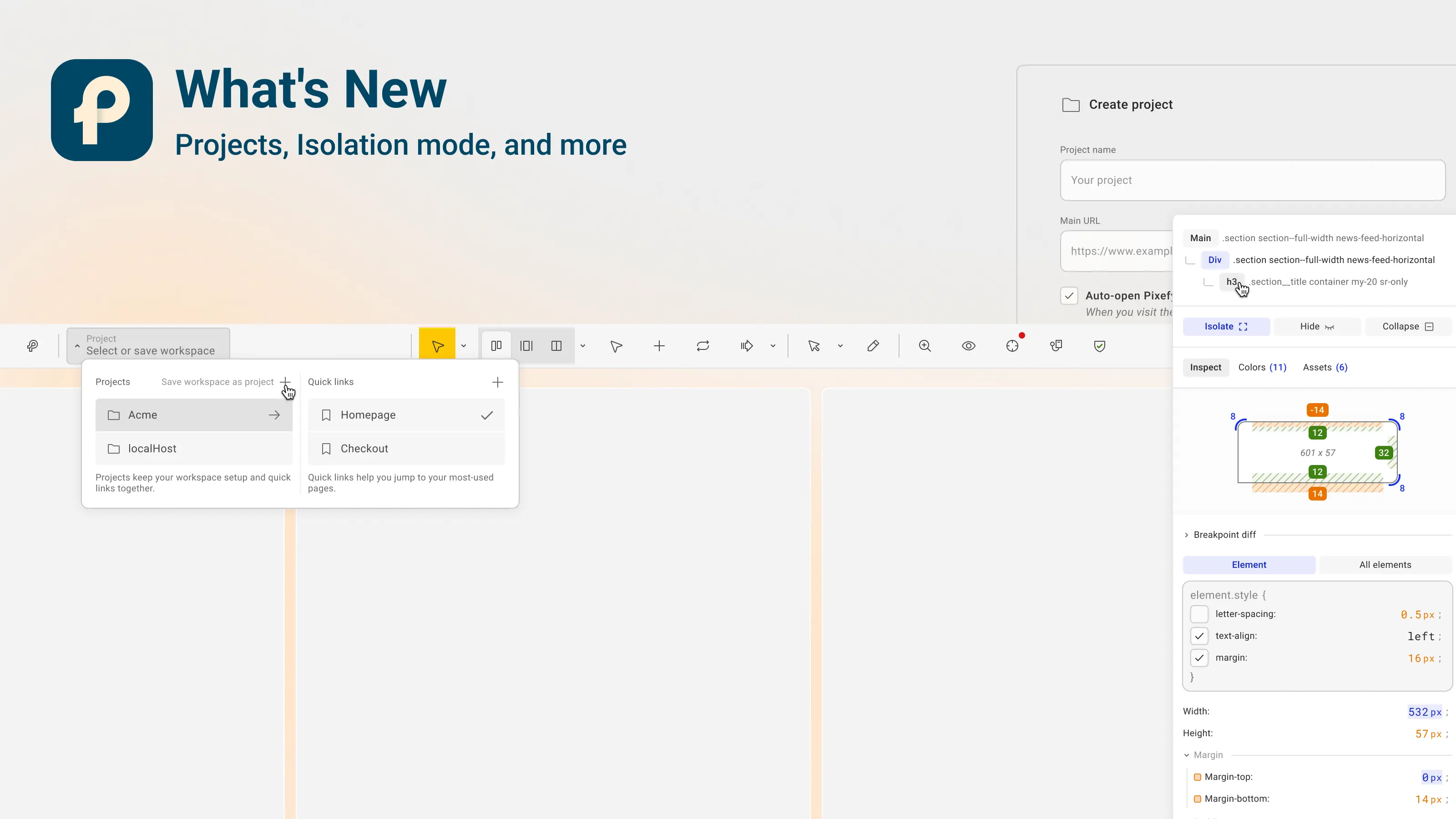
This release brings the full Projects workflow, a new Isolation mode for inspecting layouts, and a handful of improvements and fixes across the extension.
✨ New Features
Projects
You can now save your entire Pixefy setup as a project and load it back whenever you need it. Panes, view modes, tools, overlays, and settings are kept together, so you don't have to rebuild the workspace every time you open a website.
Any content edits and CSS changes you make during a review are saved inside the project too. When you come back, everything is exactly where you left off.
Projects also work across browsers. If you use Pixefy in both Chrome and Firefox, you can pick up the same workspace in either one and continue the same review.
Useful when you:
regularly review the same website
run longer QA cycles across multiple sessions
want to switch between machines or browsers without losing context
share a consistent testing setup inside a team
Isolation mode
You can now isolate, hide, or collapse individual elements directly from the Inspect tool. This makes it easier to focus on a specific section of a page, or to see how a layout behaves when something is removed.
Every isolated, hidden, or collapsed element shows up in the Activity tab, so you always know what's affecting the current view and can bring elements back without losing track.
Helpful when you're debugging spacing issues, checking visual hierarchy, or working around overlapping content during a review.
🛠 Improvements
Restricted-page notice. Pixefy now shows a clear message when you try to open it on Chrome's internal pages (like
chrome://settingsor the new tab page), where browser extensions aren't allowed to run. Instead of failing quietly, you get a short explanation of why it didn't open.Full CSS selector path in Activity tab. Added a new toggle under the Activity tab's Export menu. When it's on (default), copying a value also copies the full CSS selector path, so you can target the exact nested element. When it's off, Pixefy copies just the class name.
Hide/show secondary toolbar. You can now collapse the secondary toolbar to keep the workspace cleaner when you don't need it, and bring it back the same way.
🐛 Fixes
Fixed an issue where renamed screenshot sets reverted to their default names after closing the extension.
Fixed menu state not visually updating in some cases for the theme, ruler, and widget toggles. The actions were working, but the menu didn't always reflect the current selection.
Did you like this update? Share it with others!


or


Available in the

Available in the