Maintenance in progress — some features may be temporarily unavailable

Global Zoom, Cleaner Inspect & Sync Fixes – Pixefy Update!

v.0.8.19
Mockups Rollout, Feedback Portal & Text Selection Sync

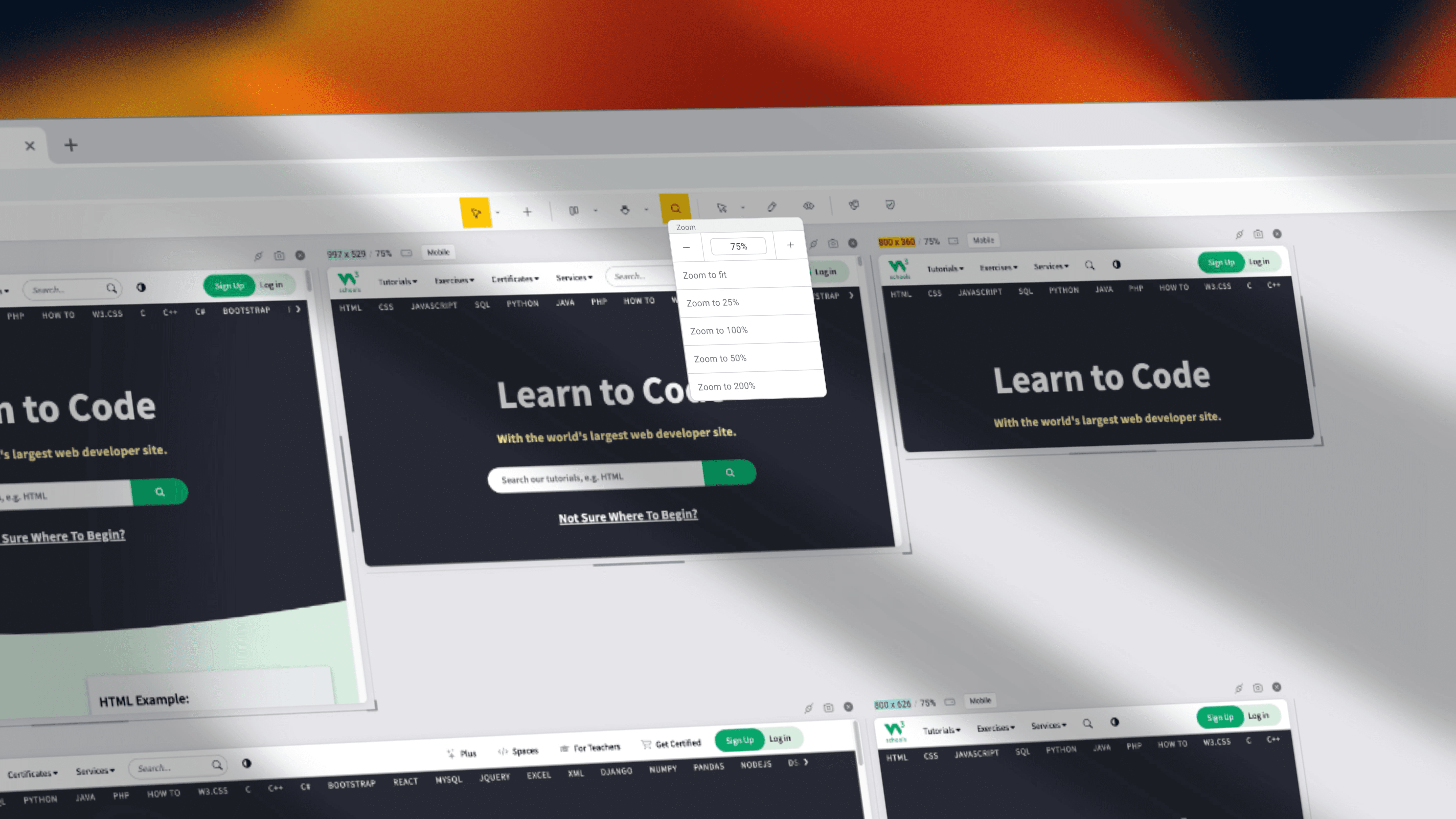
This update brings more control and stability to your workflow! We’ve added global zoom, the ability to hide the Inspect tooltip, and crushed a bunch of bugs across sync, replacements, screenshots, and measurements.

New Features:

  • Global Zoom – Adjust zoom across all panes at once.

  • Hide Inspect Tooltip – Now you can toggle the tooltip visibility for a cleaner workspace.

Bug Fixes:

  • Fixed sync issues when loading more than 10 panes.

  • Fixed image/text replacement issues on certain websites.

  • Resolved incorrect measurements in tablet panes.

  • Some Inspect values were not editable – now fixed.

  • Full-page screenshots no longer add extra rows.

  • Fixed header bypass button behavior on some sites.

  • Improved sync reliability across more websites.

  • Fixed inner scrolling issue in aside panels.

Update now and enjoy a smoother, more flexible Pixefy experience!

💬 P.S. We’re now on Discord! Have questions, ideas, or feedback? Join the conversation and help shape Pixefy’s future: Click here to join

#Pixefy #DevTools #WebDesign #Frontend

Did you like this update? Share it with others!

or

Updates

Other updates

We’re constantly improving Pixefy. Check out the latest features and updates we’ve added

See more in our

v.1.2.17

Improvement

Fix

Pixefy 1.2.17 rebuilds the toolbar to work from 1440px down to 320px, with overflow menus and flyouts, and replaces zoom controls with per-pane and global sliders you can type into. Pane rendering, hard reload, and scroll sync are all steadier.

Aug 20, 2026

v.1.2.14

New

Improvement

Fix

Stop guessing what your CSS is doing. Pixefy now explains computed values, validates HTML and CSS, connects to AI tools, and lets you disable any CSS rule to instantly see what's underneath.

Jul 16, 2026

v1.2.12

New

Improvement

Fix

Discover the technologies behind any website, inspect elements more efficiently, and work faster with smarter activity tools and improved editing.

Jun 27, 2026

Updates

Other updates

We’re constantly improving Pixefy. Check out the latest features and updates we’ve added

See more in our

v.1.2.17

Improvement

Fix

Pixefy 1.2.17 rebuilds the toolbar to work from 1440px down to 320px, with overflow menus and flyouts, and replaces zoom controls with per-pane and global sliders you can type into. Pane rendering, hard reload, and scroll sync are all steadier.

Aug 20, 2026

v.1.2.14

New

Improvement

Fix

Stop guessing what your CSS is doing. Pixefy now explains computed values, validates HTML and CSS, connects to AI tools, and lets you disable any CSS rule to instantly see what's underneath.

Jul 16, 2026

v1.2.12

New

Improvement

Fix

Discover the technologies behind any website, inspect elements more efficiently, and work faster with smarter activity tools and improved editing.

Jun 27, 2026

Updates

Other updates

We’re constantly improving Pixefy. Check out the latest features and updates we’ve added

See more in our

v.1.2.17

Improvement

Fix

Aug 20, 2026

v.1.2.14

New

Improvement

Fix

Jul 16, 2026

v1.2.12

New

Improvement

Fix

Jun 27, 2026

Pixefy on the Chrome Web Store

Available in the

Pixefy on Firefox Add-ons

Available in the

Pixefy  - Review websites across every screen | Product Hunt