Backend Power-Up, New Devices & Smart UI Tools – Pixefy Update

v.0.8.21
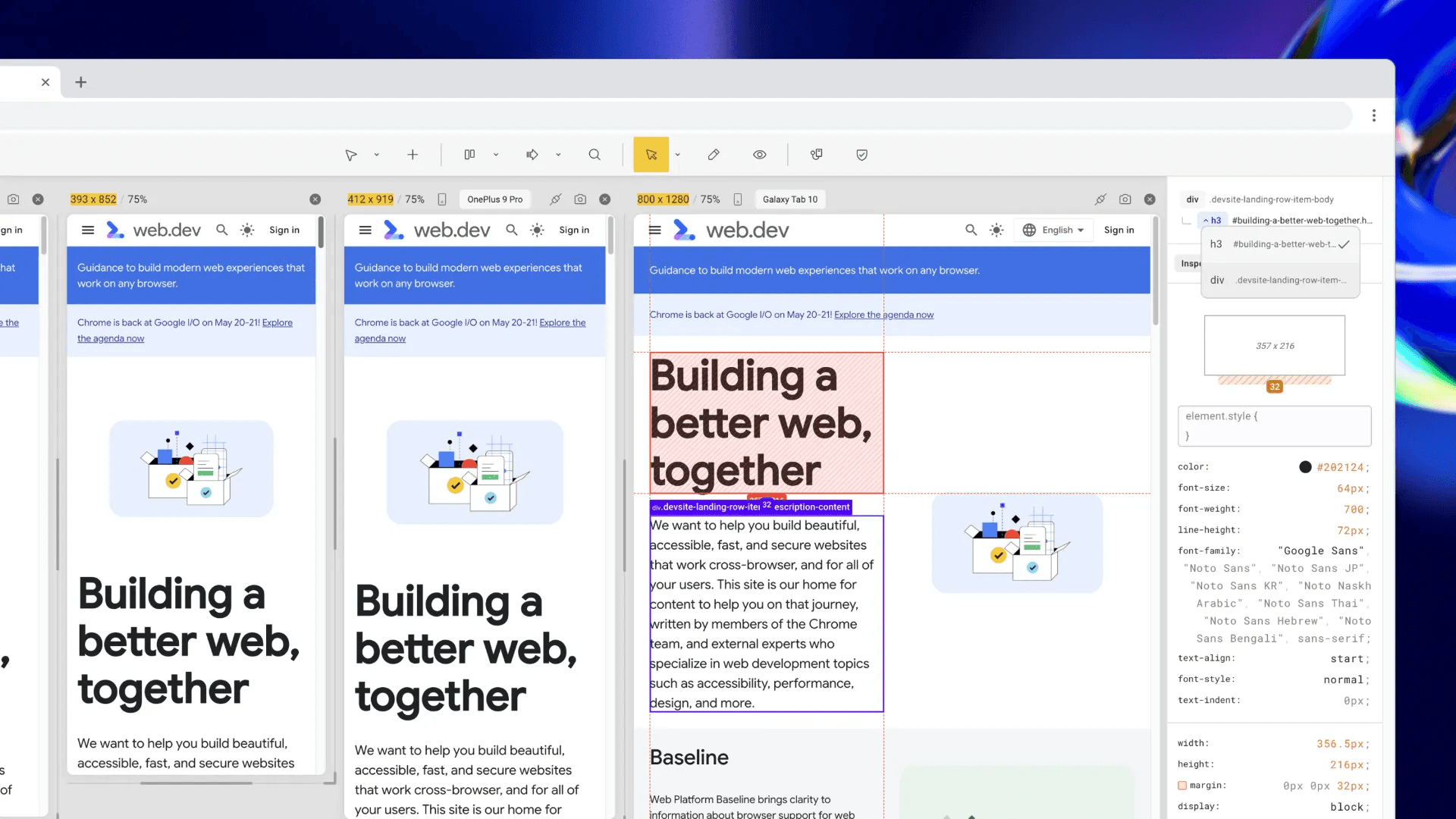
Mockups Rollout, Feedback Portal & Text Selection Sync

This is the update many of you have been waiting for. We've officially launched our backend, unlocking faster preset updates, more device support, and a smoother testing experience. With over 300 new devices and 100+ user agent strings added, responsive testing just got a serious upgrade.

New Features

  • Backend infrastructure launched – opening the door to frequent updates and more device support.

  • 300+ new device presets – with resolution, screen size, and pixel ratio previews.

  • 100+ user agent string presets – with full string previews for accurate emulation.

  • DOM Tree Navigation – Easily select inner elements using a brand-new DOM structure panel.

  • Starting Screens – Instantly launch common responsive layouts with one click.

  • Tool Shortcuts – Work faster with:

    • Navigate V

    • Inspect I

    • Content Edit E

    • Zoom In/Out + / -

    • Global Zoom In/Out Shift + + / -

Fixes & Improvements

  • Scrollbar now behaves correctly when toggling range visibility.

  • You can now show or hide the measurements widget during browser resizing.

  • Added fallback fonts to prevent style issues when websites override Pixefy’s UI.

  • Fixed random tab reloads when returning to an inactive tab.

  • Resolved sync issues with various websites.

  • UI improvements to box model and resize handles at low zoom (<30%).

Did you like this update? Share it with others!

or

Updates

Other updates

We’re constantly improving Pixefy. Check out the latest features and updates we’ve added

See more in our

v.1.2.20

New

Improvement

Fix

Now Pixefy adds settings sync, so your settings, default workspace and presets follow you across browsers and devices, and live tab sync, which pulls in changes from other tabs on return. It stops free and logged-out users losing saved panes.

Oct 12, 2026

v1.2.19

New

Improvement

Fix

Pixefy v1.2.19 brings Pixefy to Microsoft Edge, introduces a guided Getting Started tour, automatic Project saving, smarter CSS variable editing, and breakpoint guides for easier responsive testing.

Sep 28, 2026

v.1.2.17

Improvement

Fix

Pixefy 1.2.17 rebuilds the toolbar to work from 1440px down to 320px, with overflow menus and flyouts, and replaces zoom controls with per-pane and global sliders you can type into. Pane rendering, hard reload, and scroll sync are all steadier.

Aug 20, 2026

Updates

Other updates

We’re constantly improving Pixefy. Check out the latest features and updates we’ve added

See more in our

v.1.2.20

New

Improvement

Fix

Now Pixefy adds settings sync, so your settings, default workspace and presets follow you across browsers and devices, and live tab sync, which pulls in changes from other tabs on return. It stops free and logged-out users losing saved panes.

Oct 12, 2026

v1.2.19

New

Improvement

Fix

Pixefy v1.2.19 brings Pixefy to Microsoft Edge, introduces a guided Getting Started tour, automatic Project saving, smarter CSS variable editing, and breakpoint guides for easier responsive testing.

Sep 28, 2026

v.1.2.17

Improvement

Fix

Pixefy 1.2.17 rebuilds the toolbar to work from 1440px down to 320px, with overflow menus and flyouts, and replaces zoom controls with per-pane and global sliders you can type into. Pane rendering, hard reload, and scroll sync are all steadier.

Aug 20, 2026

Updates

Other updates

We’re constantly improving Pixefy. Check out the latest features and updates we’ve added

See more in our

v.1.2.20

New

Improvement

Fix

Oct 12, 2026

v1.2.19

New

Improvement

Fix

Sep 28, 2026

v.1.2.17

Improvement

Fix

Aug 20, 2026

Pixefy on the Chrome Web Store

Available in the

Pixefy on Firefox Add-ons

Available in the

Pixefy  - Review websites across every screen | Product Hunt